
Where students learn
Our learning platform
Live lessons, courses, the week’s timetable and progress sit on one platform. This is what a student sees when they log in.
What a student sees first
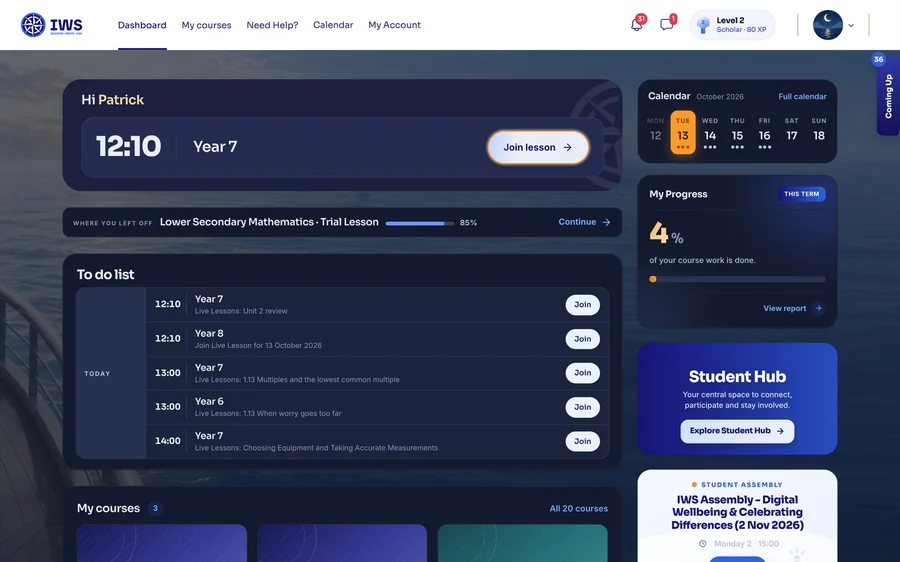
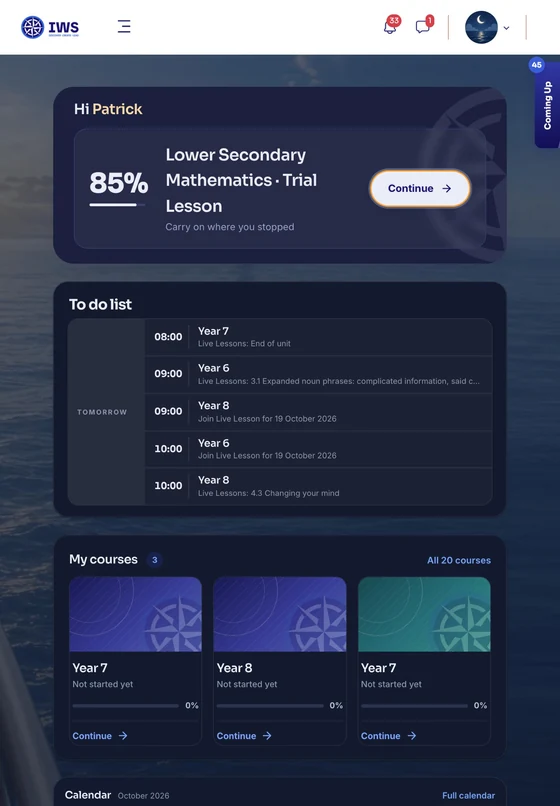
When a student logs in, the dashboard shows what’s next in their day.
The next live lesson
The time, the year group and a Join button. Once the lesson has started the card turns green and reads “Live now”.
Where you left off
The last course a student worked in, how far through it they are, and a link straight back.
Today’s to-do list
Every live lesson of the day, in order, each with its own Join button.
The week ahead
The days of the week, with a mark on each one that has something in it, and a link to the full calendar.
Progress this term
How much of the term’s course work is done, as one number, with a report behind it.
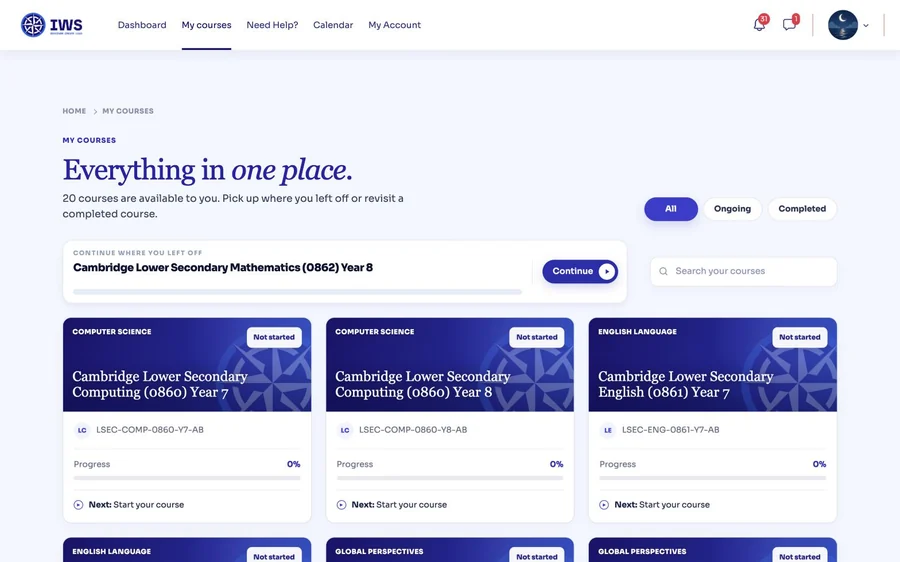
A course for each subject
“My courses” lists them all, each with its progress and what comes next.
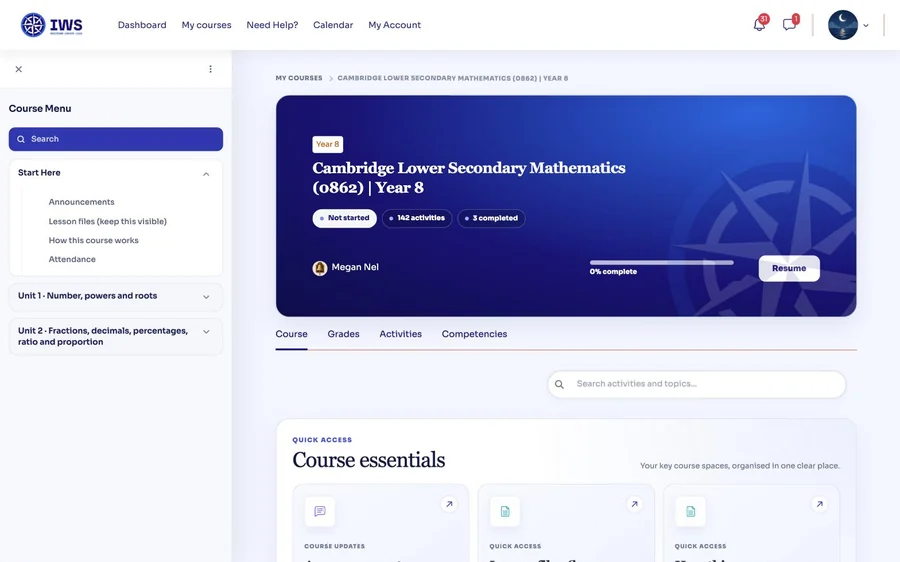
Inside one course.
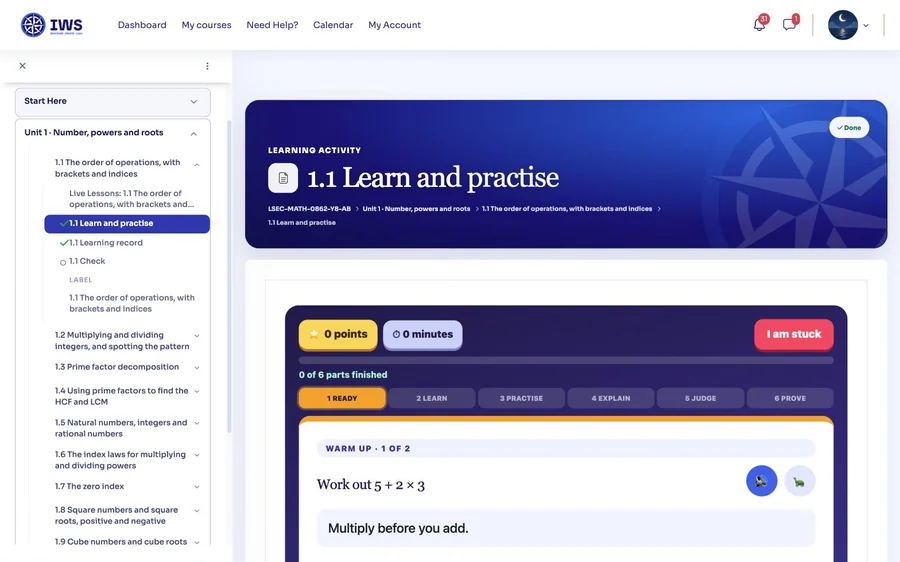
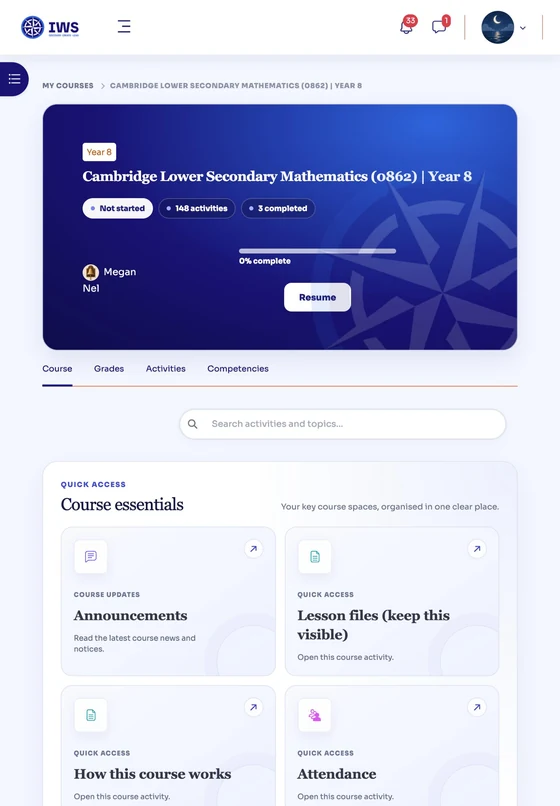
Open a course and the whole year is laid out: the units, the topics inside them, and where the student has got to.
- A menu of the whole courseEvery unit and every topic, down the side of the screen, with a tick against what’s done.
- Course essentials, always in reachAnnouncements, the lesson files, how the course works and the attendance record.
- Units you can see the size ofEach unit says how many activities it holds and how many the student has completed.
How a topic is learnt.
In our Years 7 to 9 courses a topic has a live lesson and three parts on the platform, always in the same order.
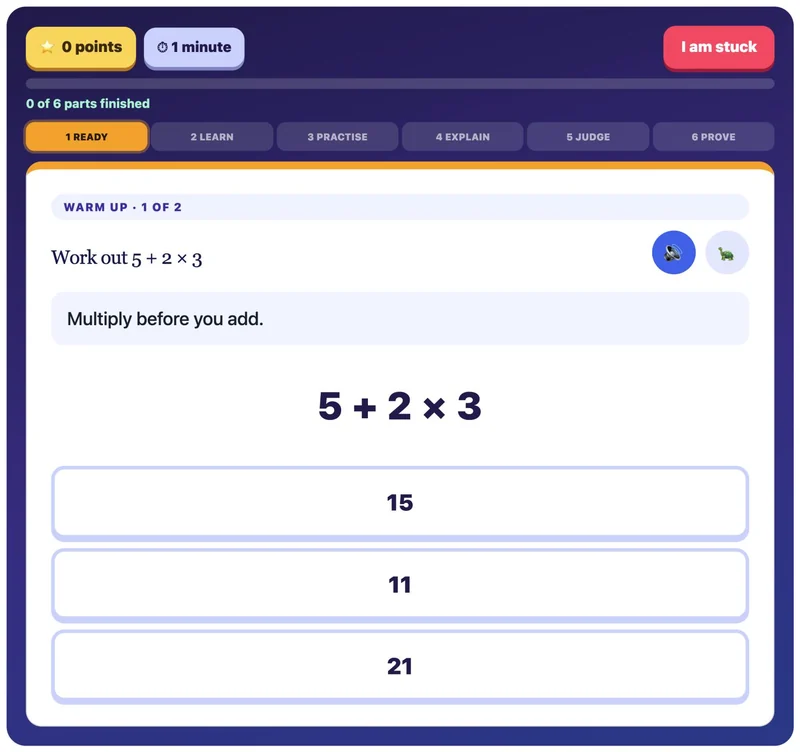
Learn and practise
The lesson itself, in six short stages.
- Ready
- Learn
- Practise
- Explain
- Judge
- Prove
Learning record
It fills in on its own when the lesson is finished, and goes to the teacher. There’s nothing to upload.
Check
Five quick questions, best tried a day or two later, once the lesson has had time to settle.
At the end of each unit there’s a review that brings every topic back together, and a unit test.
Courses for Primary, Cambridge IGCSE, A Level and the University Foundation Programme are laid out differently: lesson pages with quizzes.
Help when a student gets stuck
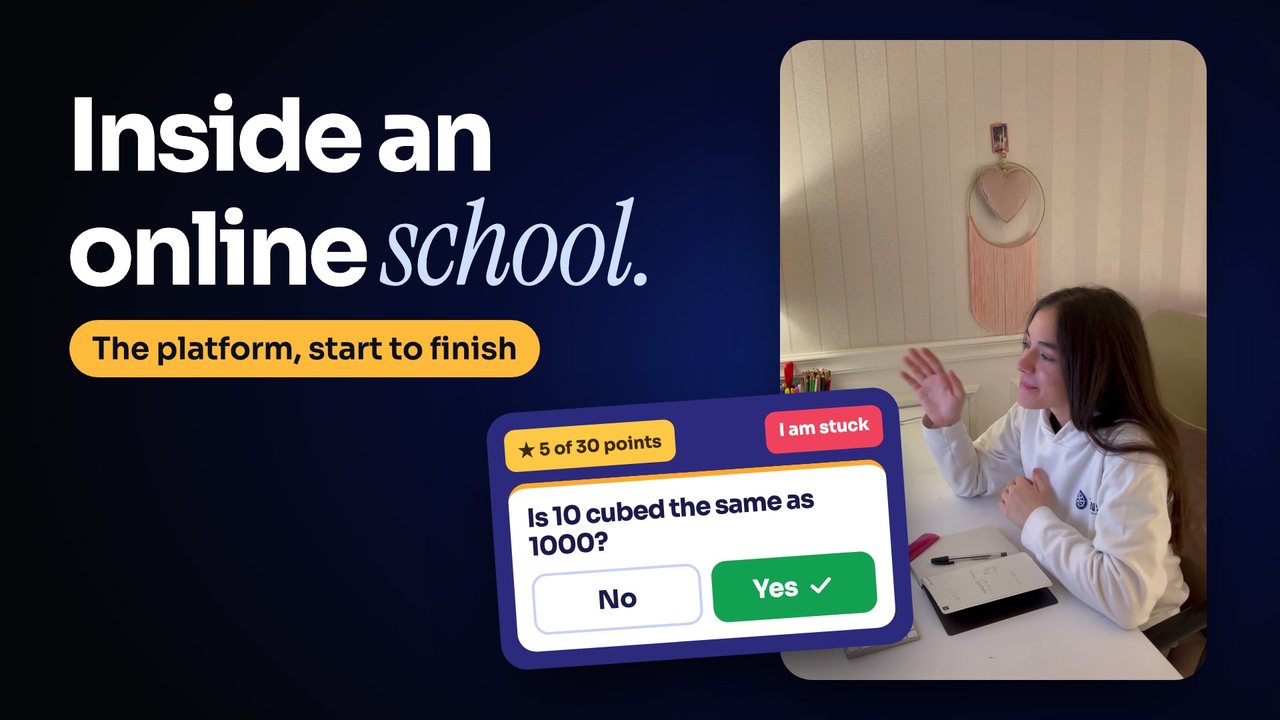
Three things the course tells its students on its first page.
From “How this course works”, Year 8 Mathematics.
The week’s timetable
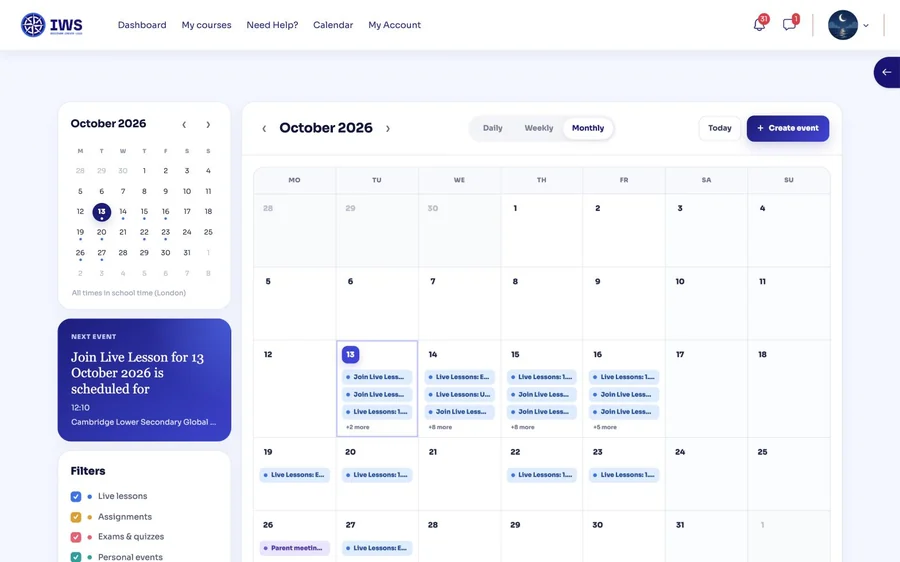
Every live lesson is already in the calendar, on the right day at the right time.
- The next event, firstA card at the side always shows what’s coming next and when.
- Four kinds of entryLive lessons, assignments, exams and quizzes, and a student’s own events, each in its own colour.
- One clock for everyoneTimes are shown in school time, which is London’s.
How students see their progress
A student can see where they stand at any time.
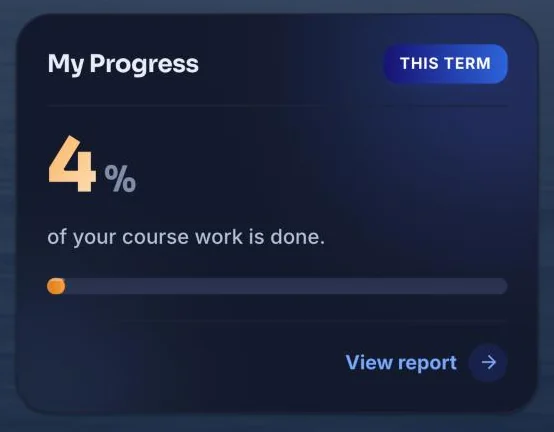
The term in one number
“My Progress” shows how much of the term’s course work is done, with a report behind it.
Progress in each course
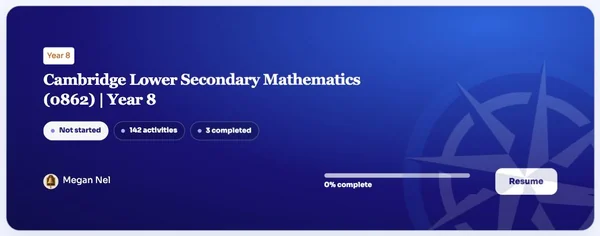
A course shows how many activities it holds, how many are done, and a button to carry on from the last one.
A level beside their name
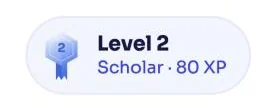
A level and a points total sit beside the student’s name on every page.
Which devices it works on
The platform opens in a web browser, so there’s nothing to install.
A phone is fine for checking the day. For lessons and written work, our computer requirements page says what your child needs at home.
Parents have their own login, linked to their child’s account.
See it for yourself.
Book a Consultation and we’ll show you round. A 30-minute trial lesson with a qualified teacher, and a look inside the learning platform, at no charge.